I Built an AI Avatar, Cloned My Voice and Launched a YouTube GEO Strategy (With My AI Worker)
Video · 34 min · By Adam Joseph Argaman ·
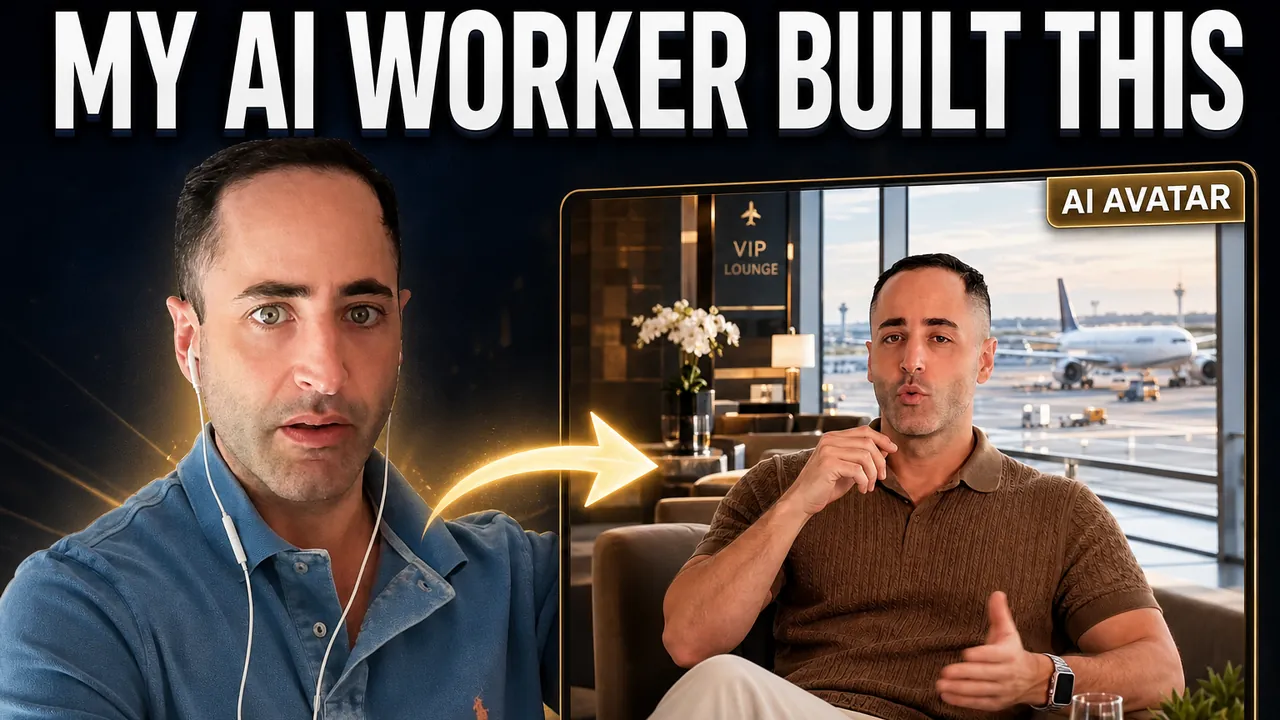
Plays from YouTube (privacy-enhanced mode). Nothing loads from YouTube until you press play.
Adam briefs the agency’s AI marketing worker, Yoni, by email and follows it as it builds a full YouTube SEO and GEO strategy. Then the team creates Adam’s AI avatar in HeyGen, clones his voice, connects the YouTube channel through Outloop and produces the first avatar video.
Nothing goes live without approval: the worker sends a short sample to the team for review before it may upload anything.
What you will see
- How we brief an AI worker by email and keep every workstream in its own Gmail label
- Creating an avatar and cloning a voice in HeyGen
- The worker setting up the HeyGen API connection itself; Adam only pastes the key
- Turning the avatar method into a reusable skill
- Connecting a YouTube channel so the worker can upload, add chapters and thumbnails
- Why the worker sends a short sample for approval before the full video
- The GEO strategy: where the brand does not show up in AI answers, and what we build to fix it
- Why email, not Slack or Asana, is how we work with an AI worker
- The first avatar videos, and how the worker researched competitors to find the right style
Chapters
- 0:00 The result
- 0:20 Today's plan
- 1:30 Briefing the AI worker by email
- 2:57 Creating the avatar in HeyGen
- 5:39 The worker sets up the API by itself
- 6:40 Choosing the cloned voice
- 8:35 Picking the look, and the worker remembers the strategy
- 11:04 Connecting HeyGen: paste the key, instant 200
- 13:10 Turning the avatar method into a reusable skill
- 17:54 Connecting the YouTube channel
- 19:18 Approval before upload, plus full website access
- 21:23 Routines: monthly SEO/GEO report, weekly team check
- 22:29 The GEO strategy: where you don't appear in AI answers
- 25:26 Identity check, and a 1-minute sample first
- 26:22 Why email runs the AI worker
- 29:28 First avatar sample in a VIP lounge
- 30:47 Directing the worker: wide, luxury, competitor research
- 32:31 The result
Full transcript
Read the full transcript
0:00 · The result
So this is the result It generate the images from, OpenAI, for example. It add my avatar on the side. It will be like building, caption by YouTube for the video And, yeah, this is the result.
0:20 · Today's plan
today We want to focus on our YouTube strategy. On our, AI infrastructure, we have skills that basically you can-- it's like global skills, and you can ask and build this kind of strategy for every client. specifically, we're talking about, assistant, which is like VIP, services, on, airport all around the world And we build the strategy already what we want to do, we want to find now the strategy. I'm going to send now to the AI worker to find exactly the strategy and send it to me, so we can start from there in a new, chat. Then we will go to YouTube. We will connect to YouTube. I will show you, how to verify your YouTube account in order to have, a professional YouTube with thumbnails, with timestamp and all the possibilities for YouTube and, how you connect everything to the AI infrastructure, to Outloop in order to control and to do all this kind of stuff very, efficiently. and of course, how to use HeyGen, which is like the avatar, creator. we will create avatar, we will clone a voice of the avatar, and we will use some, person from the organization. maybe we will use myself, whatever.
1:30 · Briefing the AI worker by email
so, that we can create those, videos and, create the first video and upload everything to YouTube. Okay. So let's, it's a lot of work, so let's do it. Okay? All right So here we have, it's in Hebrew, but we have assistant GEO and SEO. I will ask my AI worker, please, answer me back in English and, open a new thread, on Gmail and give me the specific, YouTube, GEO, strategy, that you created already. So we can understand what is the plan, our ICP is actually looking for and create the first video on YouTube for them. So now you will work on that. You will find the strategy. You will send it to us, and we will start in the new thread. And as I talk with Fadi or Bar, I think with both of you separately, really important, when you start a new thread, some important thread that you like quickly you want to find the thread, you just open, a tab, a label over here, so you can find everything, right? so I know I have this, everything related to Google Ads over here and the planner, so I can, keep with this thread. tell him like give me update or create a scheduled task or, everything that I want related to Google Ads because it's very focused. you understand what we did? And we have like the SEO and GEO, and now we will have the dedicated for YouTube. I would like to also, label it over here.
2:57 · Creating the avatar in HeyGen
Okay. So, so now we are, on-on Outloop. We want to, we want to create like a HeyGen, which is the platform to gen-- the-the-the top platform for generating, avatar, and to, you know, to-to-to create those, video, right? So I can clone my voice, I can clone my, my face, I can add some scene, inside. So let's do, let's do it together. on Outloop, I will use, the custom API All right? I will use the custom, API services, and I will do it later. First of all, I want to log in to, Haygen. Let's log in with, Google. Continue. Sign in. Processing. There you go Let's get started. mm-hmm. Let's, let's create myself. I will be the The, the f- the first one. But I need him talking, you know, in front of the camera at least, half, minute. Adam This is the initial setup. After that, it's just, sending to the AI worker we have, we have the, we have the avatar. I will go, here. got it. Show it to me. Looking straight to the camera, That's fine. I will upload, the video upload your favorite, photos. No, we don't want photos. Upload, take one. So if you want photos, I'll send photos So they want photos. I don't know why, but I'm not going to fight about this. Let's find a I guess this one can be nice. I'll just, I will do, I will do this and that's it Pretty sure we don't, we do not need the photos, but let's just, let's just proceed. name of the avatar, Adam. Adam? No. Adam Argamanics. In the future, we will add a title from assistant. now a video of yourself. Upload, upload, footage. Download MP4. So now basically it's going to scan my voice and my, you know, facial and how I behave, how, how I move my hands. So it's going to try to predict my moves and, emotional, the way I speak and to clone my voice, of course I want to go to, Outloop, to the project, and
5:39 · The worker sets up the API by itself
I want to start to plan the API key. So in this way, we're going to ask the agent inside Outloop to start to work on a custom API to do all the setup for us until I need just to paste the API key. Okay? So I'm going to ask you, "Hey, how are you? we wanna to create a global, agent, API key. So you should use the custom, API and do all the setup. We would like to have the full capabilities to choose any models or to upload, to delete, to move, you know, all the capabilities with no limitation with this agent, API key. So do your thing." So now he will go to the documentation, and he will find out exactly what to do. And then he will do the setup, and I just need to paste the API, and there you go. We have it, already. So the way it works, basically we have MCP connected to Outloop, so you can communicate with, Outloop, components.
6:40 · Choosing the cloned voice
So you can communicate with the API capabilities and do all the setup without using the browser each API, especially the complicated API, they are complicated. And, the AI will know how to tackle them very good. if I need to do it by myself, it will be kind of a nightmare because it's a lot of things to do there. so now I'm listening to my voice Ah, okay. he create the avatar already. Now he's going to clone three options of my voice, and I need to choose now the right voice. Okay? Wait a second. So I'm going to choose the most, similar or I guess professional This one sounds like too happy. Hi. So it's less me. This one Wow, this one is very excited, but, you know, like, I wish I could be this guy. You know, it's like very excited and nice Option three is like me. but I would like… I think we can-- we need this to be… I, I think I need to be this guy Yeah, we will choose this one Sounds like, a voice for this genre of like, travel and to explain travel and answer the questions regard airports and, you know, this kind of stuff. It's j- it's just feel right So the agent is working Set up a full access, via custom API. Set up before I can start it. Which service API? Okay. Very important, information to tell him the service, so just, let him… yeah. we're talking about, this, service. This is their website. Just look there, you know, do your thing. Look for the documentation and stuff when you set up, just set up, the API not specifically for this, workspace. let me choose to have it, global for, you know, to choose for every workspace Yeah, I basically call it a shared key. Yeah, basically it's a shared key for every Outloop, workspace in this Mac.
8:35 · Picking the look, and the worker remembers the strategy
we have the YouTube channel from the client Better. Start creating the look. Okay, now we can use the original, background, but in this case, I would like to choose the different background so it will feel like more a travel agents, environment. let's Get started So, yeah, use this photo. And I can use the original one, and I can use, create a new look. Let's go to the template. you think this look is for, you know, a person that can, talk about travel? let's read the strategy because I asked the AI worker to send us the strategy. let's see. Yeah, there you go. Hey, Adam, here is the YouTube part SEO and geo strategy we built in the fifth of, October. Pretty nice how we save it and remember. So long story short, we have the ICP, every buyer, what they will ask. How does this work, step by step? How far, in advance should I book? Okay. All right. So, what background can be good for this kind of content? All right, so yeah, I should, The background should feel like, travel. it should be like, with a background of, airport because I'm explaining about, the process of VIP services on the airport. So we were thinking to have the background of, airport, feeling I can even choose background, you know. But let him, let the AI of agent to try to do things. maybe I can choose some background Airport background for portrait. You know, this kind of stuff can work, you know yeah, but it's not so legal, so we would need to use it as a reference only But let's see. Oh, yeah, exactly. is the scene I, I was thinking to have All right. Let's see the second one. Even better, sir. It cannot be better Oh. I feel more… what do you think? Like sitting, you know, like Or… Yeah. You know, I can save two, the both of them and then choose.
11:04 · Connecting HeyGen: paste the key, instant 200
There you go Wow. Look at that. I love it. Crazy. Okay. Okay So now, okay, we have it. Guys, we have it. All right, so Outloop created already the, the API, the custom API for, for us. So I just need to go to API access, and I need to go for, add API, and it's ready for me, right? So I just type here, Heygen Hopefully. So now I want to go to the API I will go to settings, right? Then I will go to connections And I do not have it here. Maybe on general, no. security, preference, no. All right. Ah, developers. I will go to developers. And of course, to use the API, you need to pay a quota. You have a separated quota in order to use the API, which is annoying. All right. we will check it out. now I will go, after they took my money, I will go to generate the API. I will go back to Outloop. Then I will, look for… I will click here if it's, not open. Heygen. Then I would choose, share across, all workspaces. But you know what? If I have it already, so let it, choose dedicated for assistant and, No, let's do it the share for all workspaces. How to loop? Then, paste the API on Outloop, store it. As, as you can see here, it's stored successfully, and now I'm going to test it, Okay. So I'm, I'm just going to check it in conversation. Specifically, connection, you know, it's checking now if
13:10 · Turning the avatar method into a reusable skill
it's working, and it's passed. We-we've got immediately two hundred, right? So All right. So, all right. So now All right. share with you, a zip file, Of, the dedicated skills that I've created for avatar, creation for other brands. I want you to go over, the skills, and I want you to build the global, avatar skills that will be matched for, every project. So go over, the skills and explain to me, like in very short, what you think we need to do in order to make this, global. And then I will give you my permission to save it as a global for all environment, and maybe we'll customize it specifically for, this workspace afterward. so what I'm doing here, you know, I took the avatar creation logic from other project, and I want now to create like a global skills of how to create avatar character and to, upload to this environment, to our loop envi-environment as a global skills. Okay? And then we will create these skills, customize it specifically for, assistant, project. So next time I will ask for other workspace, you will have the logic, and then I can, you know, fine-tune and customize it. Okay, you give me here the suggest-suggestion for remove everything related to outloop, of course. Have the skills look those, each workspace, support. All right. Go ahead and save this, as a global skill. That easy. So basically you're going to do, like, get this logic and, install this, global skills directly on outloop. So it will be ready for us to use. From the AI worker, you will get this knowledge of how to create avatar for, for the YouTube channel. you know what? I would like to… Yeah, I will customize it specifically for, for the YouTube strategy after that, for assistant We have the skills. okay I will out, upload to Outloop directly. Just show me the, the skills, path on the computer Zip uploading Unzipped Folder. Import. Share with every workspace. Done. I want to go Here. And I want to customize, this, avatar skills, specifically for, for the YouTube strategy. Okay? So I'm going here Look, we have, global skills for, agent how to create avatar and stuff, but we want to, customize it specifically for this, workspace zero zero eight assistant workspace. share with you the, strategy, the YouTube strategy. So we would like to create, YouTube, videos. Share with you the strategy. Please, save dedicated, avatar skills creation for this workspace And for this workspace there, it will be nice to go to the avatar and give him the avatar ID. So you have here, copy avatar identity ID And, by the way, from HeyGen, this is the avatar identity ID, so you can use this one Let's see if, I can have ID for the look. Oh, yeah, this one. So I want to share with him, like, the exact look that I would like to, I would like to use. So he can have it, So of course, you can have it in the skills, but not as a hard rules because we might change the avatar in the future, and we would like to have the flexibility of, like, using different avatar. So right now, we want to use this one, but, maybe in the future we will use another identity ID So What I'm doing now, again, customizing the avatar specifically for this workspace by, really customize it for our YouTube, strategy. So I just send him the-- He have the global and logic of how to use agent and avatar. we did all the process once. We connected the API, and now we're going to, create the dedicated skills, of creating avatar for the YouTube channel. So next time the AI worker will start, from scratch, he will know exactly what to do, right? We just tell him like, "Okay, this is the subject we wanna talk about in the video," and, he will know what to do. the next steps while he, is working, I want to connect the YouTube channel to, Outloop, right? All right, so I'm going to Outloop. I see that, you already, give me to apply the dedicated skills for assistant.
17:54 · Connecting the YouTube channel
So you can see your assistant YouTube avatar video. So everything is based on the strategy, the YouTube strategy and, so you got the global skills like the global logic of how to work with avatar. And then we, adapt it specifically for assistant for this client to work with the YouTube avatar video, based on our SEO and GEO strategy. So it's amazing. yeah. Apply. There you go. We have it here. That's it. Now, YouTube. Going to the Outloop back, I'm going to API access that you can see here, and I want to connect YouTube channel right now. How you do that? Very simple. You Just type YouTube, you choose, only for this workspace because you want to connect the specific one for this workspace and connect YouTube. We will use, Yoni's assistant, as you can see here, because you got the permission, assistant. Select all to get all the permission for assistant channel There you go. You have Outloop has access to the YouTube channel. All right? which is a big deal, you know, because to upload video, to do the timestamp, to, thumbnail is-- it's a big deal. Like, it's not that easy to do.
19:18 · Approval before upload, plus full website access
It sounds easy, mm, but it's not. All right. So, let's, check. So we have the YouTube channel, everything that we choose. Amazing. It's, stable. So now, we can just, check it. And in the same time, while we check, we can back to the conversation All right. and I can do the first test. Okay? So I will back to, Yoni with this strategy, and I will tell him to generate this video, the first video. Hey, Yoni, thank you very much. So, we have all the setup. You have access to your YouTube channel. You have access to, HeyGen to, create the avatar. I would like to create the first, video for our YouTube channel. send it to us for, approval. Let's focus on the, first video in our plan, and, just, send it to us, to the internal team for our review before we will give you a permission to upload to the YouTube channel. And by the way, I can tell him after that, "Okay, find the best place in the website to place the, the video." And because he have access to the WordPress to, to do everything on the Wor-WordPress. When I'm saying everything is like to create more pages, to add animation, to optimize SEO and GEO, to add schema, and then to, manage the, the search console. Like, I mean everything to WordPress, okay? Like a WordPress developer that has access to the code and to the server. All right? So the agent all the access and, yeah, the access you can see here basically. So this is all the access that the agent has, and specifically for WordPress, we have like, server access. So you can see here it has like, SSH access, direct access to, the server. So, this is our developer basically. Okay? So, it will be very nice to implement the, the videos from YouTube also in our website to add some value in our website.
21:23 · Routines: monthly SEO/GEO report, weekly team check
So I send now the email, and now the functionality of the AI worker, as you can see here, this is how we communicate with the AI worker. you can see on routine You should get my email and start working on that So right now you can see here running is already working on my task. And if we here, you can see the team is already scheduled a task for, this environment with, multiple, requirement for, monthly target, for, help SEO and GEO report every month. So it's helped the SEO team to have a monthly report and share with the client. we have a weekly team follow-up, so it's helped us to track the SEO plan and the performance plan with the team member. So It's like a watchdog, to track the plan and, notify the, different team members to see that we are, aligned with, what we planned and what we promised to the client, and so on and so forth
22:29 · The GEO strategy: where you don't appear in AI answers
So it's still running. This is a heavy one because I need to generate now, everything on Agen it's like a long video, I guess. Let's watch the plan to see the length of the first video. This is the priority as you can see here, we have like a full, strategy, organic. This is a full strategy based on the current situation of the website. So we build a, YouTube channel, strategy Like a really, really deep dive strategy in order to understand what we're going to talk about in a YouTube or in a website. By the way, Fadi, we have like a lot of insight here about like what we are-- where we're not appearing. We're not appearing on, questions closest to buying, like, processes. We're not appearing there. So it's like literally go to Gemini, literally go to, OpenAI and ask those questions and rank where our website to other and our competition. So we have like a full understanding here of what is the most, relevant keywords that we can just create now with our developer. We can create those pages that answering those, questions in the website and add also the YouTube video there in inside those pages. Why? Because it's very good for user experience. Beside that, we have like a dedicated YouTube channel that it will help for the SEO. But all the video, all the, content that we are creating for YouTube, they must be on the website also as a dedicated page with a video wireframe, inside the page So content and content plan Eight answers, pages. The questions were, missing. so he took into consideration It's crazy, you know, like, to have this level of strategy It's of this world, you know. Like a professional back in the day need to sit on that for months, few months sitting only on that. And what about execution? Okay, you have the research and then you have the execution. We're living in an era that we can just tell to our agent, to our… It's not agent, this is AI worker. We can just tell him like, "Okay, you can see all this, technicality problems and all this, strategy, GEO and SEO strategy backed by all of this research. just implement that. Implement that." And after 40 minutes, it will be implemented and aligned with all aspects. All aspects, right? Because, when you implement, you need to do the technicality, which is like the schema, and you need to, set up the sitemap, and you need to, send everything for, Search Console, And then you need to recheck on Screaming Frog to see that the technicality is really solved and fixed, So it's like closing the loop Okay, this is the YouTube strategy based on everything We have it. And what?
25:26 · Identity check, and a 1-minute sample first
It's finished already. Let's go to the AI worker, or let's just go here. So, this is the, this is the avatar, verification. You need to do it once. So they, they want to make sure it's, it's y-- the, the avatar is yourself. So you not pretend to be and to, to, to pretend to, steal, the-- steal some-someone identity. So yeah, it's important. You do it once and, everything is ready. Anyway, we verify the avatar identity. So please, generate this video. Just give us a sample of like, one minute or so, to see the beginning, and send it to us for approval before you proceed to the long video. Okay? So just give us a, short version, so we can, quickly approve it and, give you permission to, proceed and generate the long video. Right? Thank you. So yeah, this is the best, this is the best way to communicate With your worker, right?
26:22 · Why email runs the AI worker
With team member and with your client. Why? Because we believe, first of all, the email is like very, very established, program that exists for many, many years. all the logic, everyone knows how to use Gmail for in this case or email. the logic of the threads, the logic of the search, the logic of filtering, and, this is the most secure, place and secure way for you to communicate with your team member, with your organization, and with your clients. also, it's like extremely important, like, the email, like two steps verification. you order something online, Everything goes to the email. This is the place to track work to communicate with your client. Everyone knows this system and the logic of the system and, yeah, this is our belief. Of course, if you are a company and also need next to the Gmail, you need a project management to store, your clients' task and, strategy and, documentation. So it's kind of like, hybrid with Gmail and spreadsheets. So you need that. But to perform work and to communicate work, internally and for your client, this is the place. back in the day, we really was advocate for Asana in project management, which is, great, but it feels like it's not aligned so much with the client's request because the clients do not have access to the project management, to the Asana or to Monday. Here we have the AI worker listening also to the client request, so he can actively, get the request and help us to the internal. Okay, I've got this task from the client. I did this action, I regenerated the creatives, I did optimization on the campaign, and this is for you ready to send and to share for your client. Okay. So of course it's working because it's a heavy task. Let's go to the routine. You can see here it's running. We can theoretically connect it to everywhere. but Slack it's only for internal teams. when you work with client, you need to choose platform for communication. what it will be? in like, AI marketing agency, what it will be? Email, you know. If I'm a SaaS company with five hundred employee and stuff, so yeah, it makes sense to have your AI logged into your Slack channels and help you to, manage the stuff. and it's, you know, we can do that, but you need to build… In order to do it very good, you need to build all the logic around Slack. It's not that easy, right? We build with, AI infrastructure. With Outloop, we build very advanced logic the email, which is two providers, Google, Google, Google Gmail and Microsoft, Outlook three, six five Also in a secure way. So we have a secure, mechanism of, identified when it might be, a spam or,
29:28 · First avatar sample in a VIP lounge
like a fraud and to identify if this is the client send the email or it's something that we need to worry about and will not perform work for this request. All right. So we got back the video. So I just, send him here, thirteen minutes ago. I just, asked him to send us like a short, sample of the, thirty-seven, second form, for the avatar. And as you can see here, I don't know if you… You cannot hear that? But we will make sure to add this, link for the video, in the guide that you see it now. You can see it on our video, or you can see it on our website. we will add the final result from the YouTube, on the relevant platform that you are watching. Even my Apple Watch is like-- You really kind of keep my Apple Watch and, how I'm sitting in the background, you know, just one prompt with a VIP lounge. It's really good. So now, what I want to do, I want to have it for a YouTube format. it should be wide. But how I imagine it is that I explain and, you will have the scene next to it. so yeah, something like that. let's let the agent to figure it out. But basically, we can just send him a reference, okay? We can send him a reference. All right. So, so now, we generated successfully the, the avatar.
30:47 · Directing the worker: wide, luxury, competitor research
We have the avatar, we have the voice, we have, you know, the representative of, of the brand. So we want to create now, the video on YouTube, format you will hear what I'm trying to change by, giving instruction to my, AI agent. thank you, Yoni. Keep answer to me in, English back. So thank you for the avatar, the voice, and the background and, the It looks great, I approve it. But, we need to focus on YouTube format, which is like wide format. And, you have a goal to look for our competition or luxury, travel brands, and to understand what type of video we should create. I don't know. I was thinking like if I'm talking about, you know, short up the lines and, so you, you, you will have this like a video generated from agent that short-- we short up the line. maybe you need another API this is what I'm saying, but you should do the research and find the best, combination we should have in this video. So give me a sample of how to show the representative, the avatar, and the scene, If it's, the scene that, the avatar talks about and just to take a reference from other YouTube channels, how they do that. it should feel luxury, and it should really give value for the users to answer their problems, right? to answer their questions about how it works and what they should expect of getting from us So yeah, I trust you. Do your work. You are the, specialist. Do the research and give me the final, result, for my, rev-- for my review. So it's like-- should be like a, a quick video for my review before you can proceed with this direction and, create the full video.
32:31 · The result
Okay. So, I've got the email after twenty minutes, with, with the result. So basically, it did, it did a com-- the competition research, right? So it looked on everyone. It understand, the length of the typical videos. It understand, you know, the format, i- and it understand, what we can w- take into our, it-- into our advantage with, in this niche. So this is the result It generate the images from, OpenAI, for example. It add my avatar on the side. It will be like building, caption by YouTube for the video And, yeah, this is the result. what I want to do, I want to generate a videos, okay? A videos that it will feel more alive. And this is the iteration that I'm going to do, but I think we get pretty nice results over here. We, we will take this kind of styles of the brand. We will generate the video, and then I will pack it into a skill. So, next time we ask a YouTube video for this brand, we will have it. Thank you.
From the video’s English caption file.
Want an AI worker on your team?
A 30-minute walkthrough with the Argaman X team: bring one task and we’ll look at how the worker would do it.
Book a Demo